Centralizing the Design System Process with DSM
Transforming an outdated design system into a scalable, self-sustaining asset with modern tools and streamlined processes
Date January - July 2020
Tools Sketch, Miro, InVision
Project overview
The problem
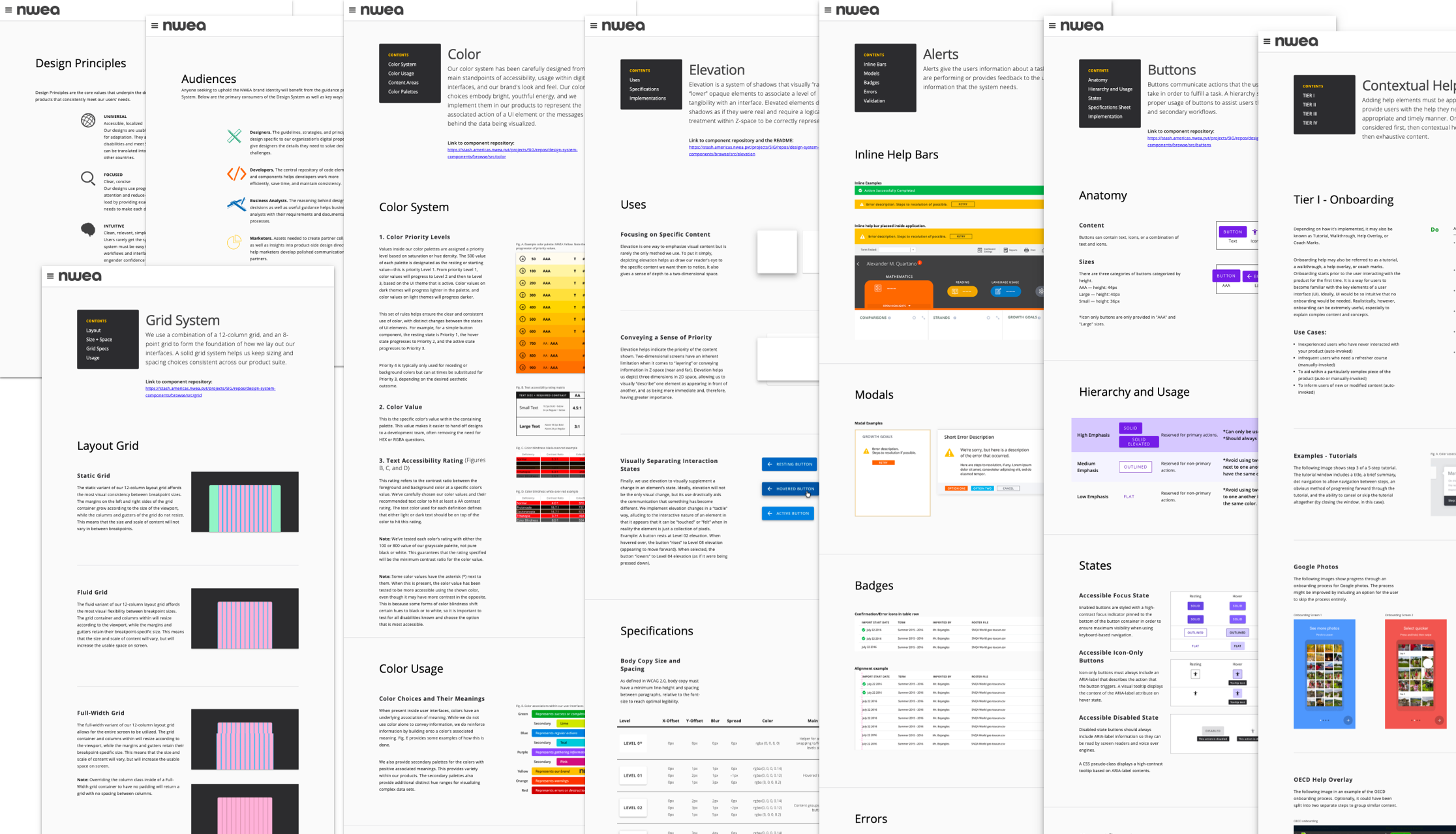
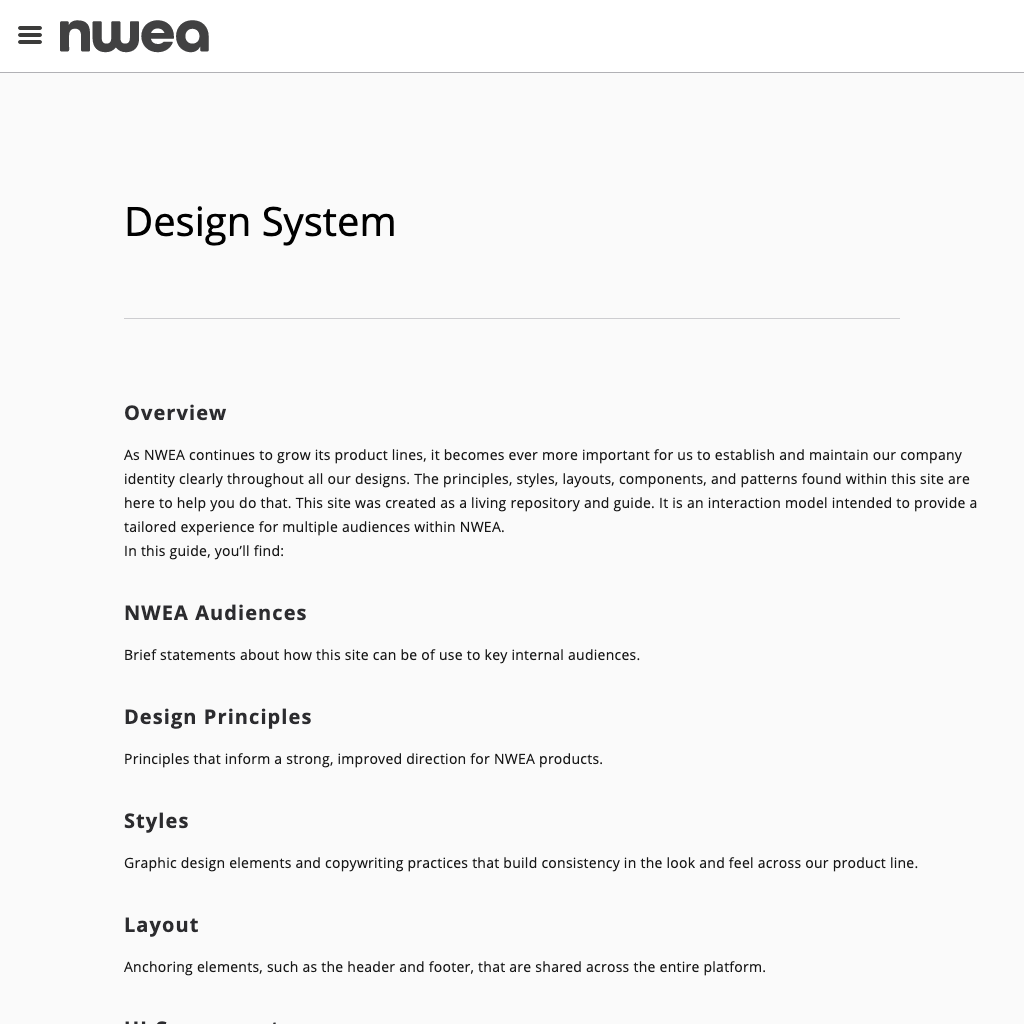
NWEA’s 2017 design system, initially built with custom documentation and basic Sketch sticker sheets, became inefficient and fragmented over time due to unclear processes and heavy maintenance as it scaled.
My role
As lead designer, I modernized the system by clarifying the contribution model and driving discovery, process improvements, tool evaluations, and design asset rebuilds to streamline workflows across teams.
The opportunity
How might we create a scalable design system process that reduces developer reliance, enables designers to update documentation independently, and improves collaboration to speed up delivery?
Make it stand out.
Phase 1:
Improving the workflow
What is test management
Context
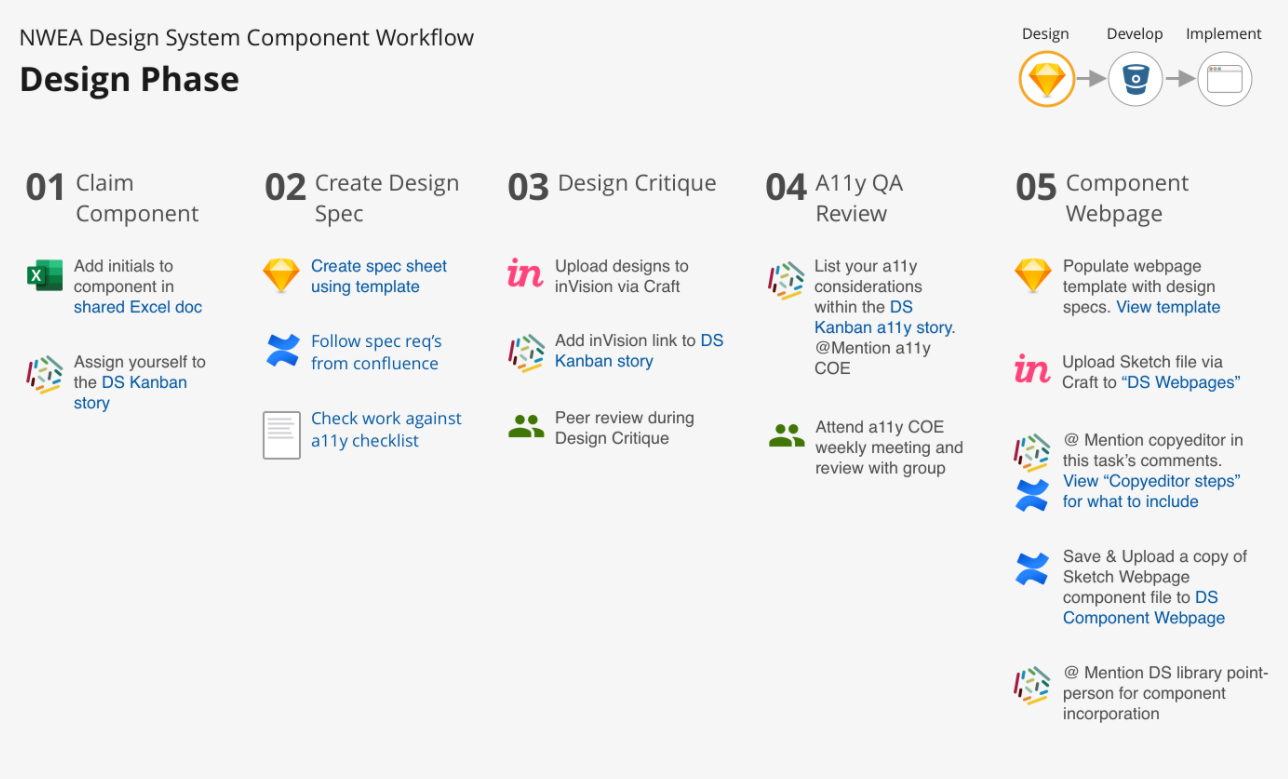
Without a single owner, contributing to the design system was a part-time task, with an outdated InVision board capturing the workflow. This neglect led to abandoned components, unclear expectations, and redundant communication during reviews and development.
Discovery
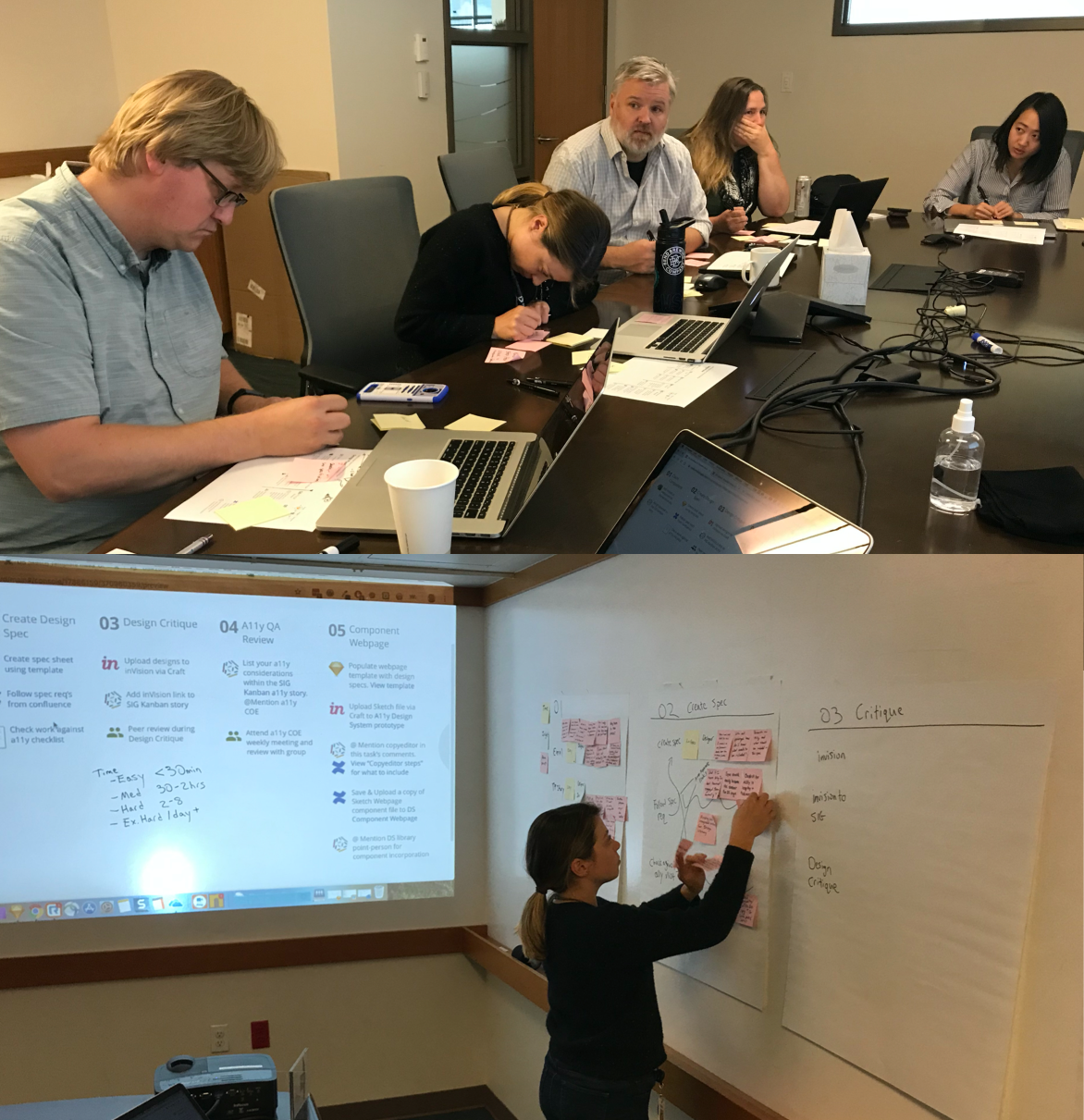
I partnered with our team’s Principal Designer to host a workshop with key team members—including a senior UX researcher, top designers, a UI copyeditor, and the design system developer—to identify pain points.
We mapped the current workflow on a whiteboard, highlighting blockers at each stage.
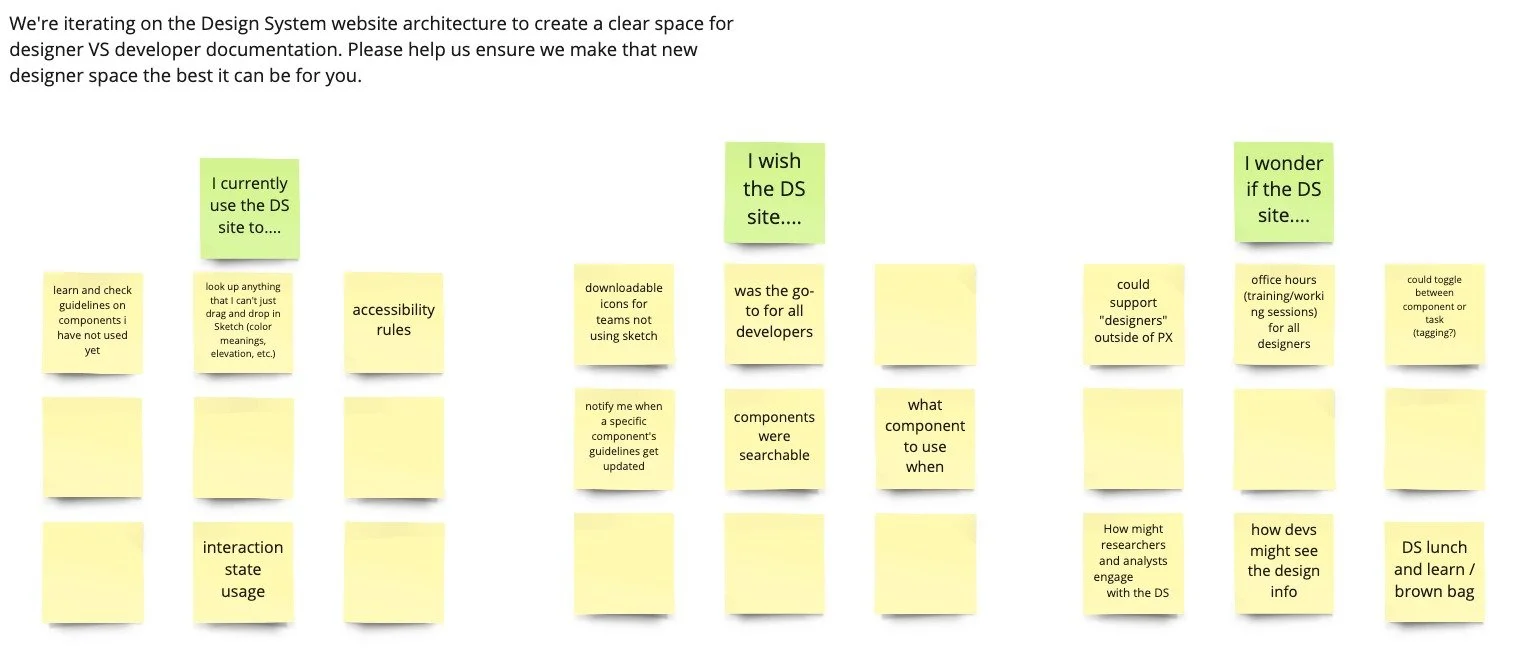
To ensure broad input, we used a Miro board to gather feedback on how the design system was used and areas for improvement.
User Research
Define
Pain Points
Synthesizing the insights from both the workshop and miro board, we identified key challenges:
Undocumented scope
The existing workflow lacked clarity on scope or follow-up steps.
Unclear requirements
Designers frequently faced overlooked technical or design considerations during development.
Redundant communication
Feedback loops across multiple stakeholder groups led to pivots and extra rework.
Design
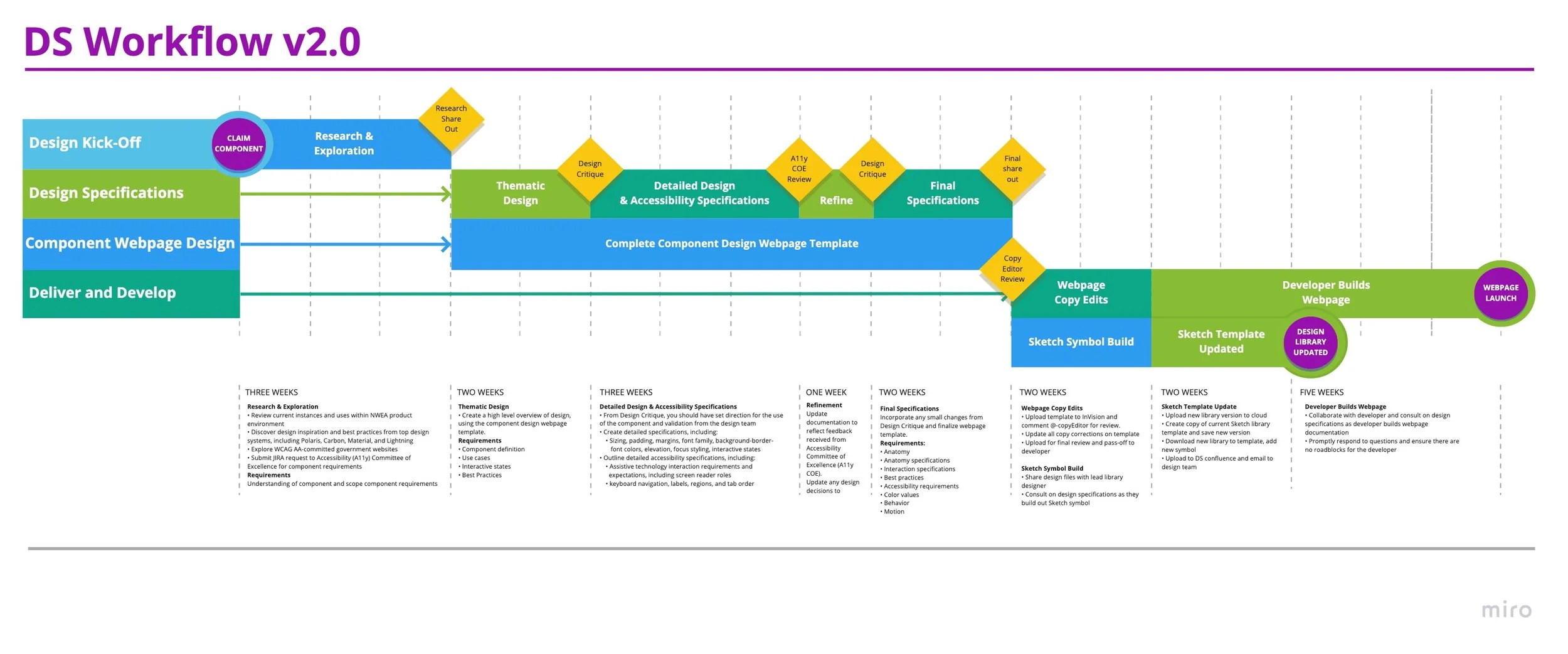
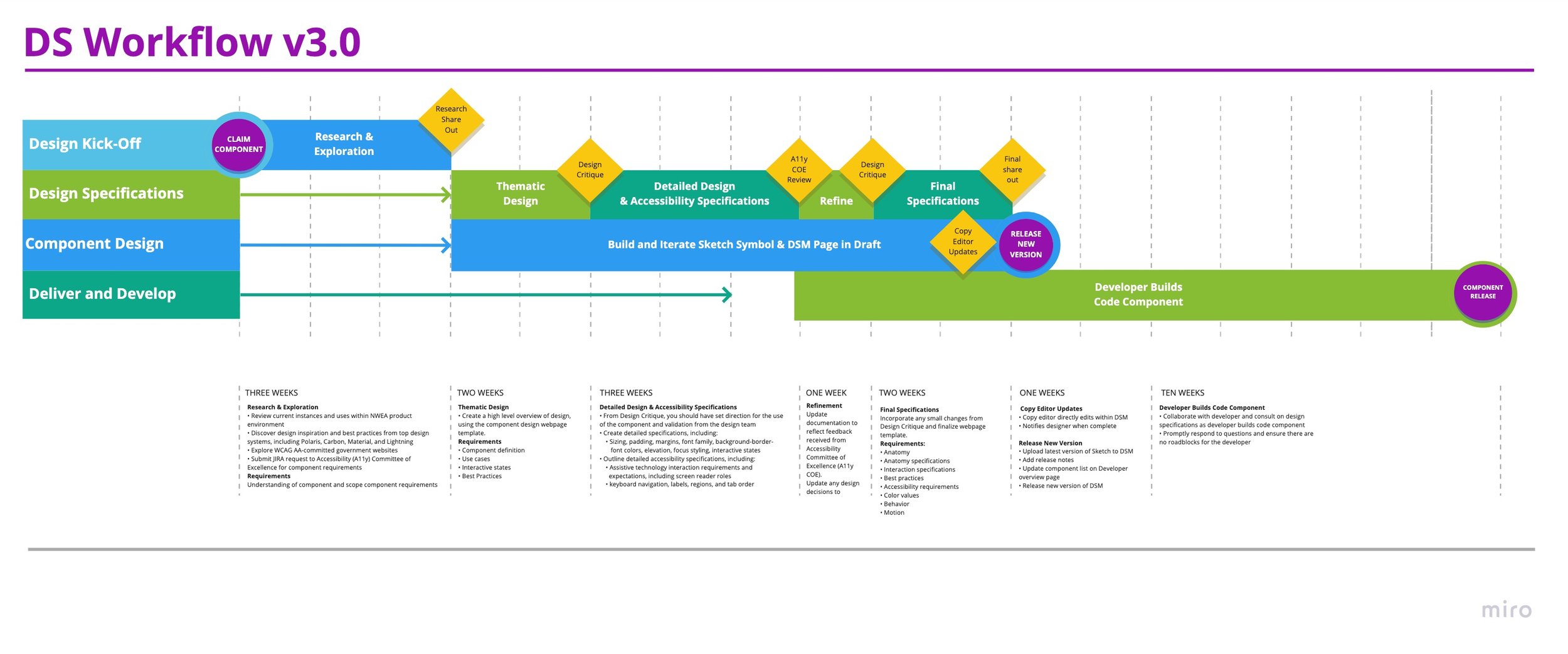
After capturing pain points, I consolidated feedback into clear requirements and prototyped the DS Workflow 2.0 document. This new process expanded timelines and step-by-step guidelines, reducing redundancy. I also created a template webpage to guide designers in component specifications and reworked share-out stages, formalizing accessibility discovery sessions.
Outcomes
We tested the new process over the next two months, and saw measurable improvement.
Five new component specifications were contributed by two designers.
However, these two months exposed bottlenecks in the final documentation and development process.
Phase 2:
Tool evaluation
and selection
New challenges identified
While the updated workflow resolved some inefficiencies, new challenges emerged during testing:
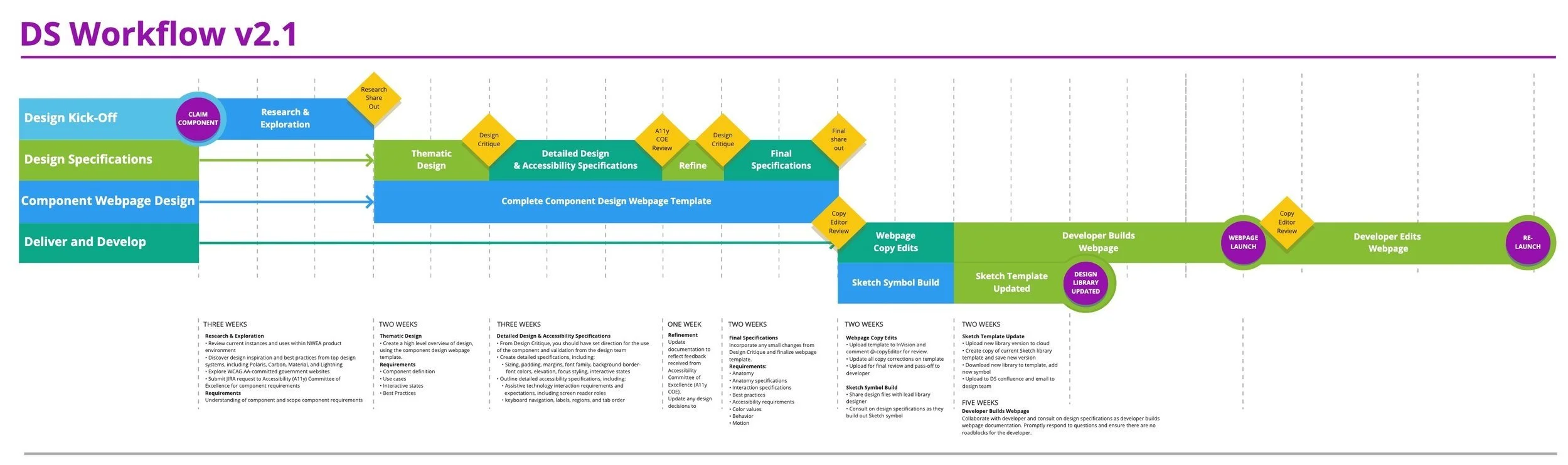
Developer dependency: Documentation updates required manual intervention by a UX developer, causing delays and outdated guidance.
Editorial bottlenecks: Copyediting occurred too late, leading to repeated handoffs and slower component page launches.
Scaling inefficiency: Minor documentation updates required the same effort as new components, hindering the system's scalability.
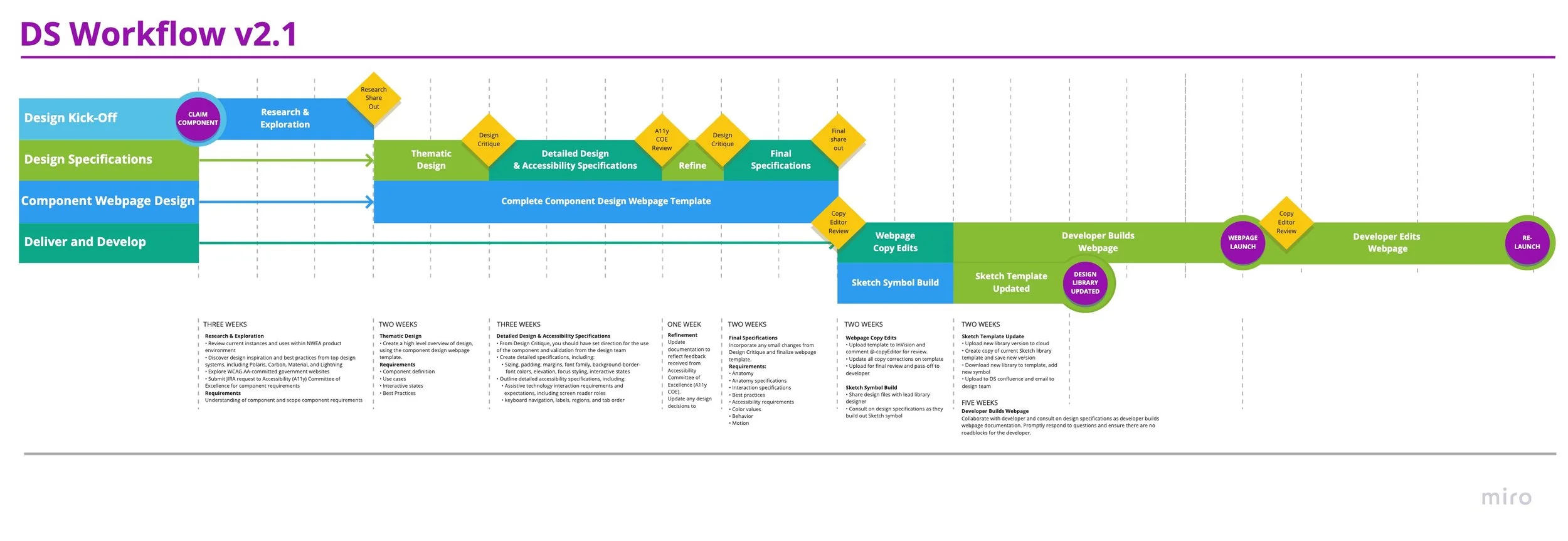
We updated the DS Workflow to version 2.1 to address these issues.
Discovery
To address these challenges, I explored tools like Abstract, Figma, Zeplin, and Sketch for Teams. While they supported design collaboration, none fully addressed our documentation issues. InVision’s Design System Manager (DSM) emerged as the best solution, offering:
A WYSIWYG interface for designer-driven documentation updates
Integrated tools for seamless updates, reducing redundant handoffs
Direct alignment between design and documentation changes
I presented a business case comparing our current process ($91,000 for 30 components) with DSM, which saved $30,000 by reallocating developer resources. After pitching it to the User Experience Director, the software was approved within a week and added to the team’s budget.

Exploring solutions
Phase 3:
Migrating to the DSM
Design
Establishing governance
Transitioning to DSM required a systematic approach to maximize its benefits and bring the entire design system into alignment.
The first step was defining ownership and roles. I established a governance model detailing:
Who controlled the DSM website and managed its updates.
How developers would integrate the design system into product development workflows.
This clarity ensured accountability and streamlined the process of pushing releases.

Rebuilding the Sketch library
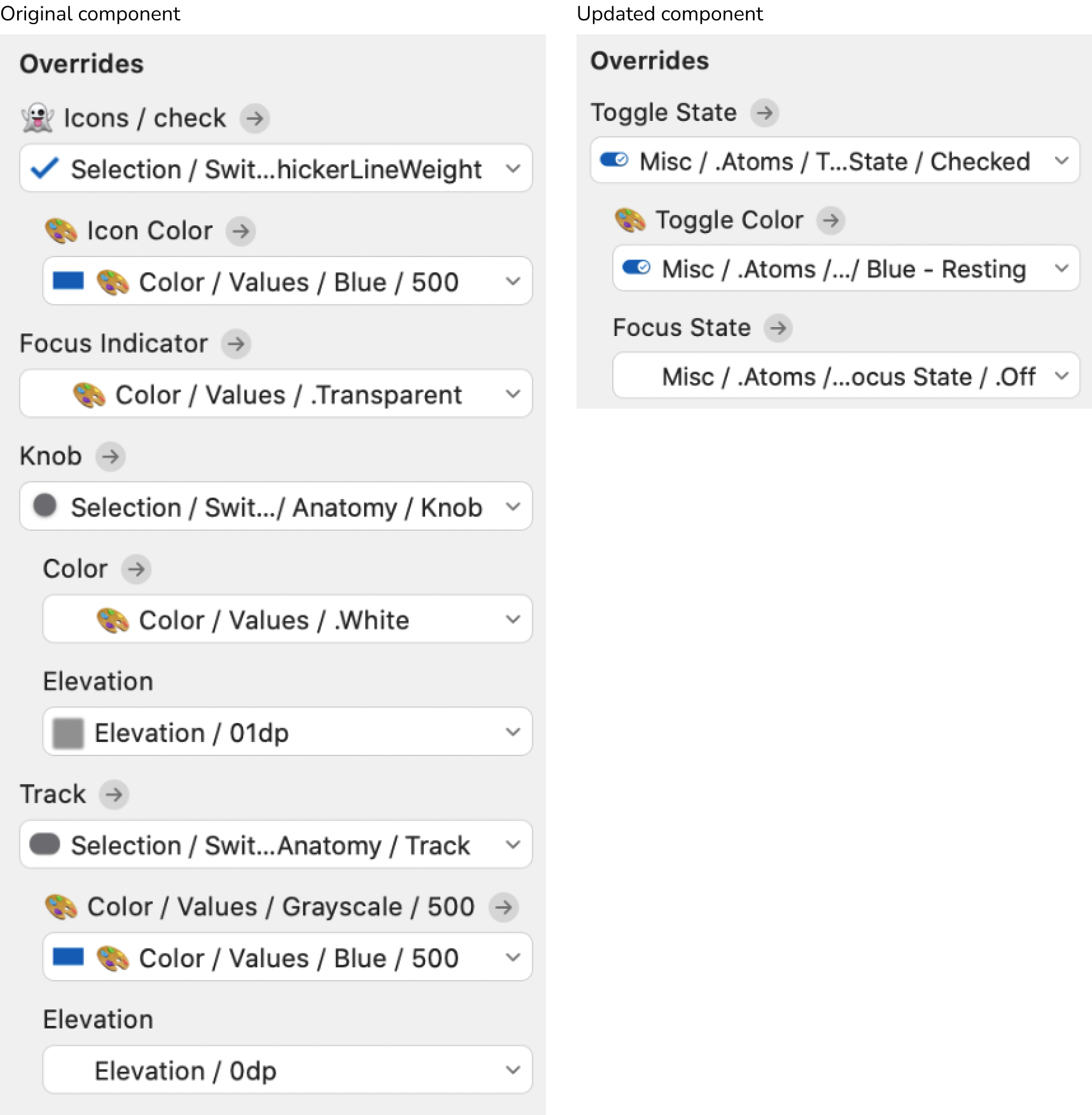
I modernized our Sketch library to take advantage of style overrides and usability features, addressing major pain points for designers:
Previously, designers had to sift through 100 color values to find five active state options. Overrides streamlined these options for efficiency.
Components were reorganized to reduce “symbol bloat” and make customization intuitive. For developers, this redesign also simplified code handoff by reducing nesting levels, enabling quick access to CSS values.
Deliver
User testing
Using DSM’s WYSIWYG editor, I led the design and iterative refinement of the new documentation website. Key improvements included:
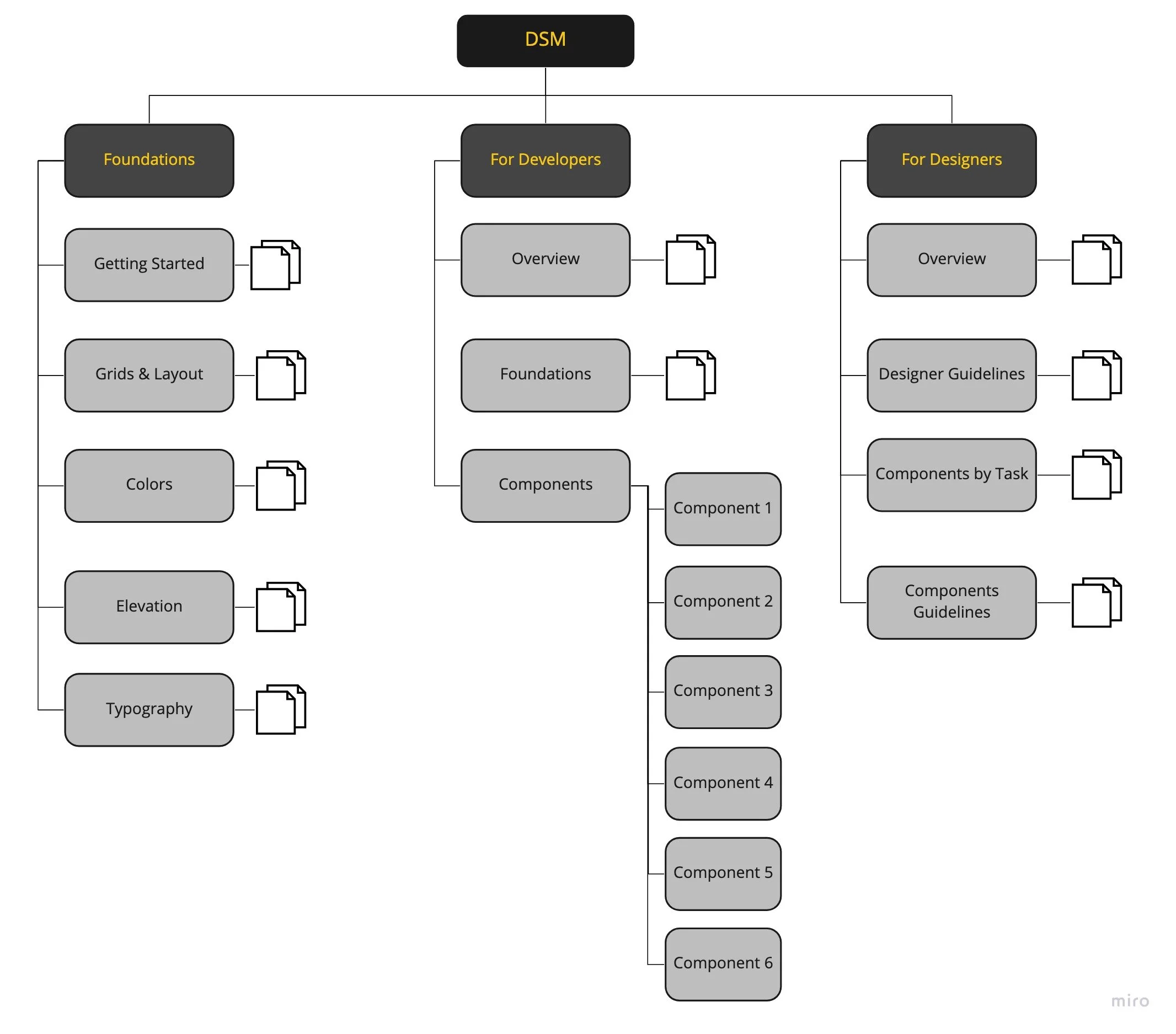
Creating separate, intuitive landing pages for designers and developers to access relevant resources quickly.
Ensuring consistent documentation structure for all components to improve usability.
Iterating on the site’s information architecture based on user feedback to balance accessibility and clarity.
Impact and outcomes
Before DSM, the design system was slow, resource-intensive, and hindered growth. After migrating to DSM, the workflow transformed:
Scale and adoption
The system expanded from 4 undocumented specs to 24 fully designed components.
Developer resource optimization
With designers managing documentation, developers could focus on building high-quality code components, we went from zero to 10 production-ready code components integrated into product workflows.
Efficiency gains
Centralizing documentation updates in DSM eliminated redundant handoffs, speeding up releases and keeping documentation current.
Improved collaboration
Improved Collaboration: DSM streamlined collaboration across teams, integrating accessibility, editorial feedback, and technical considerations.